
On this page
Local SEO helps customers find and evaluate nearby businesses in Google Search and Maps. This guide gives small-business owners a practical way to review their Business Profile, website, business information, reviews, and measurement without promising rankings.
Google says local results are mainly based on relevance, distance, and prominence. No single edit guarantees a position, and businesses cannot request or pay for a better local ranking.
Relevance is how well a profile matches a search; distance is how far the business is from the searcher or named location; prominence, also described as popularity, is how well-known it is. Google names links and review count and positive ratings as prominence information, but publishes no weighting or full formula. For a focused Maps explanation, see how Google Maps rankings work.
Before You Begin: Confirm Your Business Setup
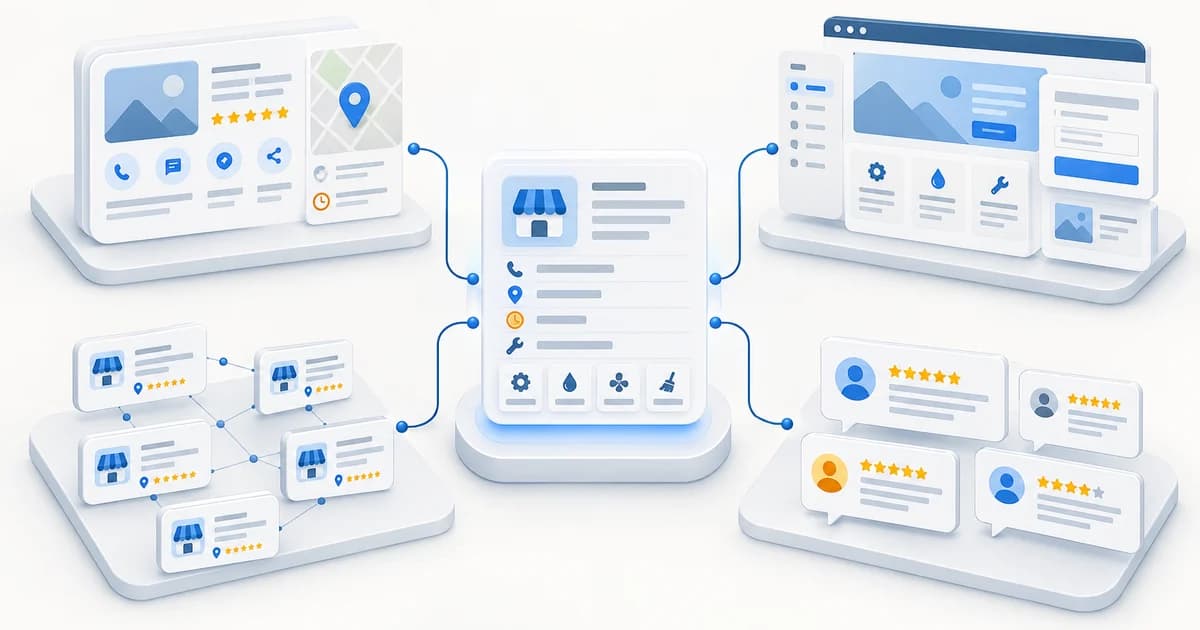
Confirm that your business has a location customers can visit or travels to customers; online-only businesses are not eligible for a Business Profile. Identify whether you are a storefront, service-area, or hybrid business, and gather access to the managing Google Account, real-world business name, contact details, hours, services, and service areas. The profile settings for these models are covered in phase 1. If your profile seems missing, distinguish a setup or status issue from a visibility question with this troubleshooting guide.
1. Make Your Google Business Profile Accurate
Google recommends complete, accurate profile information to help it understand what a business does, where it is, and when customers can visit. This can help match a profile to relevant searches, but it does not make every editable field a separately confirmed ranking factor.
Confirm the Business Model and Address Settings
For a storefront, show the address customers visit. A service-area business that does not serve customers at its address should hide it and list places it genuinely serves; a hybrid can show its customer-facing location and service area. Google permits up to 20 service areas, entered as places rather than a radius. It advises keeping the overall area generally within about two hours' driving time of the base. These are profile setup rules, not a ranking-radius control. Google says a service-area business uses one profile for the area it serves.
Choose the Best-Fit Category
Choose the most specific available primary category that accurately describes the main business. Google says categories affect local ranking but publishes no category hierarchy that guarantees visibility for a query. Add another category only for a distinct core part of the business; Google's guidance is to use the fewest needed. Do not add keywords to the name or choose categories for services you do not provide.
Check Contact Details, Hours, and Services
Check the phone, website, and regular hours; add special hours for holidays or temporary changes. Google's Gemini profile workflow is optional and available only to eligible accounts.
Where available, list services the business actually offers. Google says a service may be highlighted for a matching search; this is useful profile information, not a ranking guarantee. Products are optional and relevant only when the business offers eligible products and the feature is available. Write the description for customers, explain what makes the business distinct, and keep it accurate. Review AI-generated suggestions before using them.
Add Representative Photos
Use genuine, current photos that help customers recognize the location or understand the team's work or products. Google recommends photos that are in focus, well lit, and representative of reality. Add or replace images when they help customers or existing photos are inaccurate; no upload frequency is a disclosed ranking factor.
Profile preflight
Check the details customers rely on
Before moving to the website, review the information people use to recognize and contact your business.
Business identity
The name reflects the business as it is represented in the real world.
Location setup
The public address and service-area settings match how customers are served.
Category and services
The primary category and listed services accurately describe the business.
Contact and hours
The phone, website, regular hours, and any needed special hours are current.
Photos
Images are genuine and still represent the location, people, products, or work.
2. Build Useful Website Pages
Your website can explain details that do not fit in a short Business Profile. Organize it around the questions customers need answered before they call, book, or visit. Google may use public web content, including your official site, among several sources of business information.
Explain Your Core Services Clearly
A service page is useful when a service needs distinct information. A separate URL for every service is not automatically necessary. A useful page can explain:
- what the service includes and who it is for
- how the work is performed or what the customer should expect
- relevant local conditions, limitations, or service availability
- common questions and useful examples from the business's experience
- how to contact the business about that service
Write naturally in language customers understand; do not repeat city names or keywords unnaturally. See our website local SEO guide for more website-specific checks.
Create Location Pages Only When They Add Value
A page for a real branch can provide its address, hours, services, and local details. A service-area page is useful only when it answers a distinct customer need for an area the business genuinely serves. No business needs a page for every nearby city. Google identifies substantially similar city pages that funnel visitors to one destination as doorway abuse. Before publishing, ask whether the page offers useful, accurate information that differs meaningfully from the others; if not, improve the relevant service or contact page instead.
Make Contact and Business Details Easy to Find
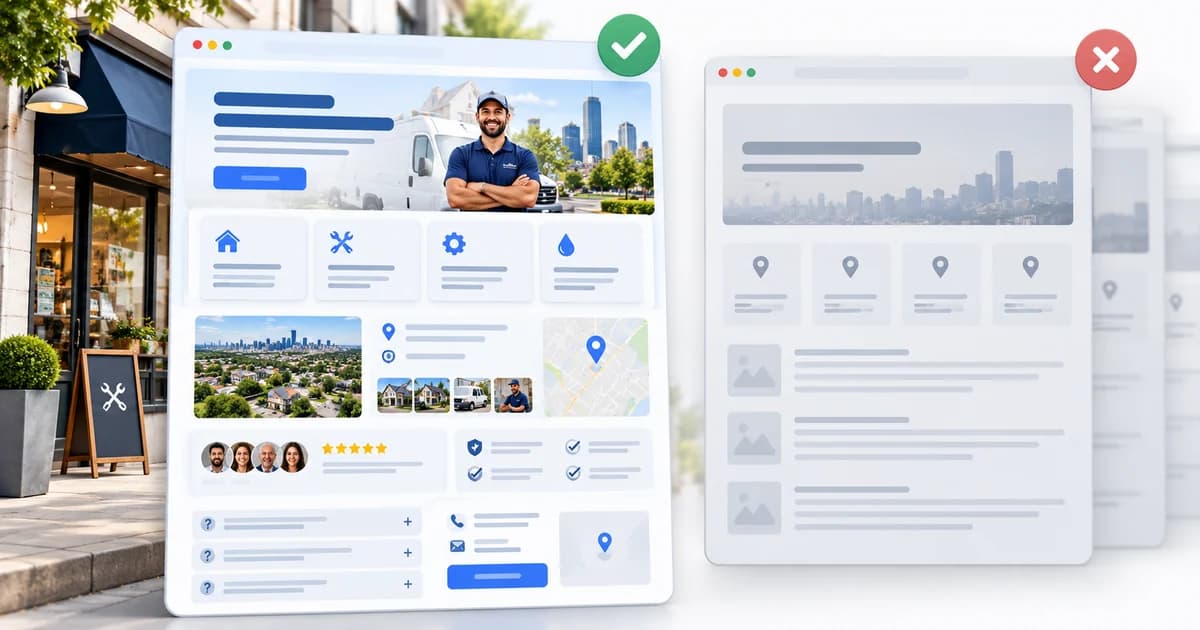
Make the phone, website, customer-facing address, and service-area information easy to find. Directions or a map may help a storefront visitor, but an embedded map is optional. Keep the underlying business facts accurate across your site and important profiles; correct wrong addresses, obsolete numbers, broken links, and outdated service areas rather than chasing identical punctuation.
Make Important Pages Findable and Usable
Link related pages where it helps customers navigate. Check that important pages can be found and are not accidentally blocked from search. Review the site on a phone: service details and contact options should be readable and usable. This is not a full technical SEO audit; start with problems customers encounter.
3. Correct Important Business Listings
Google says Business Profile and local-search information can come from business-provided details, public web content, licensed third-party data, user contributions, and Google's own interactions with places. Checking important listings is a data-accuracy task, not a fixed-count directory or ranking recipe.
Prioritize Sources That Matter to Your Customers
Start with platforms customers in your industry or area actually use, such as major map services and relevant local or industry directories. Prioritize accurate, useful listings over the size of a submission list.
Fix Wrong Details and Duplicates
Check for incorrect names, old phone numbers, moved or closed locations, broken links, and duplicate profiles. Correct details you control and follow each platform's process for the rest. Prioritize accurate underlying facts over exact punctuation or citation volume.
4. Establish a Neutral Review Routine
Google names review count and positive ratings as information that can contribute to local prominence. It publishes no target rating, required review count, or review-velocity formula. Reviews also help customers understand others' experiences.
Ask for Genuine Feedback Broadly
Ask customers with a genuine experience to share honest feedback. Keep the request neutral, make the review page easy to reach, and do not choose recipients based on expected sentiment. Google advises businesses to value all reviews and says balanced feedback can feel more trustworthy.
Never offer a benefit for posting, changing, or removing a review. Do not ask for a star rating, keywords, or scripted praise; let customers describe their own experience.
Make It Easy to Leave a Review
Use Google's review link or QR code in an appropriate place, such as a thank-you email or receipt. Keep requests neutral and avoid pressure. See How to Get More Google Reviews for a focused request workflow.
Respond Professionally
Reply politely and usefully, protect private information, and move complex cases to an appropriate private channel without asking anyone to remove or change feedback. Treat replies as customer service: Google recommends helpful responses but does not identify reply frequency or response time as a separate local-ranking factor.
5. Use Structured Data Only Where It Fits
Structured data describes page information in a machine-readable format. It is optional markup, not a Maps-ranking shortcut or special AI qualification.
Mark Up Accurate, Visible Business Information
If your site supports it, suitable LocalBusiness structured data can describe accurate, visible business information. Google requires name and address for its LocalBusiness rich-result feature and recommends an appropriate type. Do not publish a hidden address to satisfy markup; get implementation advice for your actual service model. Schema.org supports more properties than Google uses for any one feature.
Validate Eligibility, Not Rankings
The Rich Results Test checks eligibility for supported Google features; passing does not guarantee display or rankings. Google retired FAQ rich results in 2026. A business's own testimonials are not eligible for self-serving review stars. See the Schema Markup Guide for more implementation detail.
Google says AI Overviews and AI Mode use standard Search eligibility and need no special schema. These steps cannot guarantee inclusion in an AI feature.
6. Measure Local Discovery and Business Outcomes
Record a starting point, note what you change, and compare available visibility data with customer outcomes instead of relying on one rank check.
Review Business Profile Performance
For a verified profile, the Performance area shows how people discover and interact with it. Available metrics vary; review the views and interactions shown for your account and note the date range.
Review Search Console and Leads
Search Console shows Search impressions and clicks by query and page. Where tracked, compare them with calls, forms, bookings, or other inquiries. Its Generative AI performance report covers AI Overviews and AI Mode impressions when enough data is available; it does not report ChatGPT or prove that a specific change caused an appearance.
Recheck Changes Without a Promised Deadline
Search changes take different amounts of time to appear, and not every change produces a noticeable result. There is no fixed local SEO timeline. Recheck over a sensible period, consider what else changed, and keep business information current.
Keep Your Local Presence Accurate and Useful
Work through the parts that apply to your business: represent the profile accurately, explain your services and contact details clearly, correct important listings, ask for honest feedback without pressure, use structured data only when it accurately describes visible content, and measure customer actions alongside search visibility. Review these details when your business changes, rather than chasing a fixed ranking recipe.
Sources and Further Reading
These official sources support the setup and policy guidance above. They describe requirements and recommendations; they do not guarantee rankings or rich-result display.
- Understand Google's local ranking factors
- Represent your business accurately, including category selection
- How Google sources Business Profile information
- Manage service areas for service-area and hybrid businesses
- Google's review request guidance and Maps content policy
- Google Search's doorway abuse policy
- LocalBusiness structured data and review snippet eligibility
- Google's update on FAQ rich results
- AI features and your website
- Generative AI performance report in Search Console
FAQ: Local SEO
What affects Google's local rankings?
Google says local results are based mainly on relevance, distance, and prominence. It names review count and positive ratings, and links to a business, as examples related to prominence. Google does not publish a single top ranking lever, a complete weighting formula, or a guaranteed set of actions that will move a business to a particular position.
How long does local SEO take?
There is no reliable fixed timeline for every business or change. Google says website changes can take different amounts of time to show in Search, and not every change produces a noticeable result. Track what you changed and review relevant outcomes over time rather than relying on a guaranteed number of weeks.
Does a service-area business need a page for every city?
No. Create a page only when it gives customers genuinely useful, distinct information about a real service area or location. Avoid pages that repeat the same content with only the city name changed or send visitors to the same general destination.
Does schema improve local rankings?
Google does not document LocalBusiness structured data as a direct local-ranking lever. Structured data can describe visible, accurate business information and may make a page eligible for a supported search feature, but it does not guarantee a rich result or a ranking improvement.
How should a small business measure local SEO?
Use the Business Profile and Search Console information available to you, then compare it with customer actions such as calls, forms, and bookings when you track them. Review the same date ranges and record what changed; do not treat a single rank check as the business outcome.
Review your Google Business Profile
Run Rankley's free audit for a snapshot of your profile, reputation, website, and local visibility signals, with prioritized next steps. No login or credit card required.