On this page
- Why This Matters: How Local Service SMBs Can Appear in ChatGPT Searches
- How ChatGPT Finds & Surfaces Your Pages
- Built-in browsing
- Plugins / APIs
- Structured Data: The Foundation for ChatGPT Visibility
- LocalBusiness schema (use the most specific subtype)
- FAQPage schema (Q&A the model can quote)
- Write Conversational Q&A That ChatGPT Can Quote
- Example (visible HTML)
- Optional: Lightweight API for Live Data
- Endpoint example (JSON response)
- Reinforce Signals: GBP & Citations
- Measure & Improve (Proving You’re Showing Up)
- Quick Wins & 30-Day Roadmap
- Do this in the next 24 hours
- Next 30 days
- Conclusion: The Playbook for ChatGPT Visibility
Wondering how local service SMBs can appear in ChatGPT searches? This guide shows exactly how to make your site AI-readable so assistants can quote, cite, and recommend your business when customers ask for help in your area.
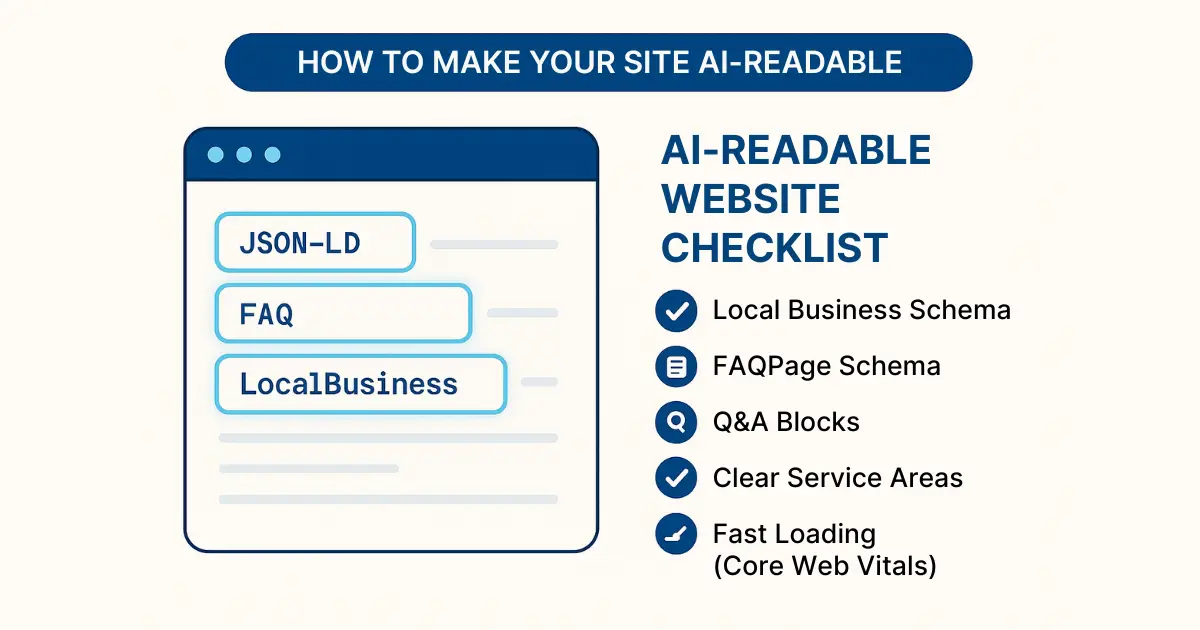
Why This Matters: How Local Service SMBs Can Appear in ChatGPT Searches
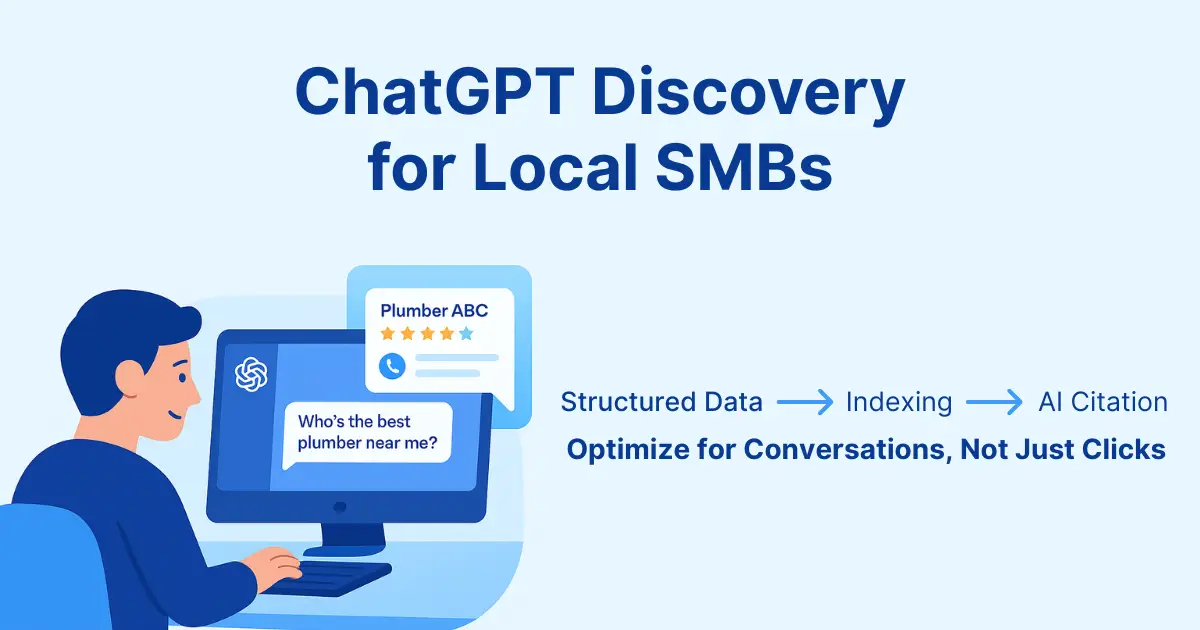
Consumers increasingly ask AI assistants for quick, trusted answers instead of scanning blue links. ChatGPT responds conversationally and when browsing is enabled can pull current information from live pages. For plumbers, HVAC, dental, legal, roofing, landscaping, and other SMBs, visibility starts with content that’s clear, structured, and quotable.
- Instant answers: short, direct responses with a source link.
- Natural language: “Who’s the best roofer near me?” not just “roofer seattle.”
- Live data: assistants can cite hours, service areas, and booking links.
Related reading:
How ChatGPT Finds & Surfaces Your Pages
Built-in browsing
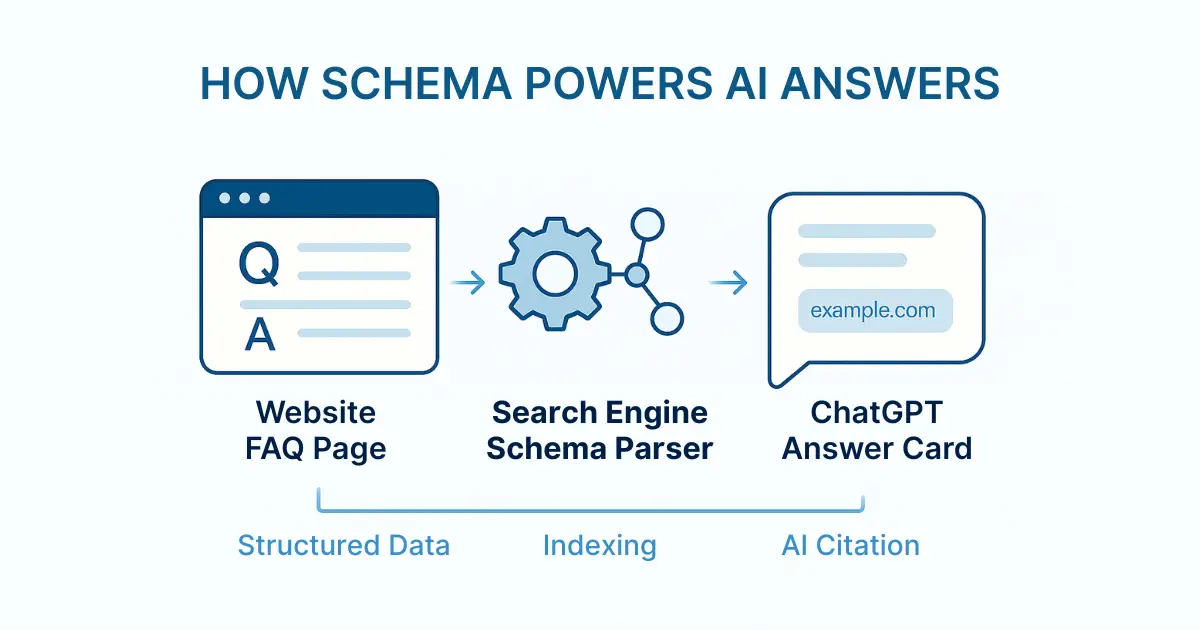
When browsing is enabled, ChatGPT fetches a page, parses headings, lists, and structured data, then cites concise snippets. Clean structure + quotable copy increases the odds of being referenced.
Plugins / APIs
In some workflows, ChatGPT can use an API to retrieve structured facts: availability, prices, warranties, service areas, and booking links directly from you.
Strategy: Make details both human-friendly (clear copy) and machine-parsable (schema). This is the core of how local service SMBs can appear in ChatGPT searches consistently.
Structured Data: The Foundation for ChatGPT Visibility
JSON-LD schema explains exactly what’s on a page. Add it to your homepage, service pages, location pages, and contact page. Keep schema synchronized with your on-page text.
LocalBusiness schema (use the most specific subtype)
Examples: Plumber, Dentist, HVACBusiness, Attorney.
Reference: https://schema.org/LocalBusiness
{
  "@context": "https://schema.org",
  "@type": "Plumber",
  "name": "Seattle Rapid Plumbing",
  "url": "https://example.com",
  "telephone": "+1-206-555-1234",
  "address": {
    "@type": "PostalAddress",
    "streetAddress": "123 Rainier Ave S",
    "addressLocality": "Seattle",
    "addressRegion": "WA",
    "postalCode": "98144"
  },
  "geo": { "@type": "GeoCoordinates", "latitude": 47.6062, "longitude": -122.3321 },
  "areaServed": ["Seattle", "Bellevue", "Kirkland"],
  "openingHoursSpecification": [{
    "@type": "OpeningHoursSpecification",
    "dayOfWeek": ["Monday","Tuesday","Wednesday","Thursday","Friday"],
    "opens": "08:00", "closes": "18:00"
  }],
  "sameAs": [
    "https://www.facebook.com/yourbrand",
    "https://www.yelp.com/biz/yourbrand"
  ]
}
FAQPage schema (Q&A the model can quote)
Add FAQs to priority pages and mark them up.
Docs: https://developers.google.com/search/docs/appearance/structured-data/faqpage
{
  "@context": "https://schema.org",
  "@type": "FAQPage",
  "mainEntity": [
    {
      "@type": "Question",
      "name": "How much does a standard drain cleaning cost?",
      "acceptedAnswer": {
        "@type": "Answer",
        "text": "Drain cleaning starts at $99 for a single fixture; complex blockages may cost more."
      }
    },
    {
      "@type": "Question",
      "name": "Do you offer emergency service?",
      "acceptedAnswer": {
        "@type": "Answer",
        "text": "Yes, 24/7 emergency response with typical arrival in under 60 minutes within King County."
      }
    }
  ]
}
Validate monthly via the Rich Results Test: https://search.google.com/test/rich-results
Keep JSON-LD and visible copy aligned to avoid contradictions.
Write Conversational Q&A That ChatGPT Can Quote
Schema helps machines, but ChatGPT still reads your visible copy. Add short Q&A blocks using the exact words customers use. Keep answers to 1–3 sentences so they’re quotable.
Example (visible HTML)
<h3>What are your emergency electrician service areas?</h3>
<p>
  We provide 24/7 emergency repairs in Seattle, Bellevue, and Kirkland.
  <a href="/service-areas">Learn more</a>.
</p>
- Use headings as questions (H2/H3): “How much is water heater replacement in [City]?”
- Add price ranges, timelines, or warranties plainly.
- End with “Learn more,” “Get estimate,” or “Book now.”
Optional: Lightweight API for Live Data
If you want assistants to fetch live data, expose a tiny endpoint. Start minimal (availability + booking link) and expand later.
Endpoint example (JSON response)
{
  "service": "plumbing",
  "nextAvailable": "2025-08-12T09:00:00-07:00",
  "bookingUrl": "https://example.com/book/plumbing",
  "coverage": ["Seattle","Bellevue","Kirkland"]
}
- Host a manifest at
/.well-known/ai-plugin.jsondescribing your endpoints. - Return concise JSON with clear fields and ISO timestamps.
- Register so assistants can call your domain directly.
Small, speedy responses tend to be favored by assistants.
Reinforce Signals: GBP & Citations
Even without plugins, assistants cross-check public listings. Strong, consistent signals lift confidence.
- Complete every GBP field: services, hours, service areas, photos, FAQ, and posts
https://support.google.com/business/ - Consistent NAP: match name, address, phone across Yelp, Bing Places, Facebook, Angi, etc.
- Fresh photos & posts: demonstrate recency and reliability.
Measure & Improve (Proving You’re Showing Up)
- Manual tests: Ask “Who offers 24/7 drain cleaning in [City]?” and see if you’re cited.
- API logs: Monitor request counts and parameters (if you ship endpoints).
- Analytics: Tag links likely to be cited (e.g.,
?source=chatgpt) and watch referrals. - Iterate: Add Q&A where answers feel thin; tighten wording; expand schema types.
Quick Wins & 30-Day Roadmap
Do this in the next 24 hours
- Add LocalBusiness JSON-LD to your homepage and contact page.
- Publish a 10-question FAQ block (with FAQPage schema) on your top service page.
- Run a few ChatGPT browse tests and note which pages it cites.
Next 30 days
Roll out Q&A blocks + FAQ schema across top 5 service pages; align copy with schema.
Ship a minimal JSON endpoint (availability + booking URL) or plugin manifest.
Fully optimize Google Business Profile; audit and fix NAP across priority citations.
Review analytics/logs; refine short answers; validate schema and fix errors.
Conclusion: The Playbook for ChatGPT Visibility
Combine structured data, concise Q&A, and (optionally) a lightweight API to make your business easy for AI to understand and recommend. Do the quick wins today, ship the 30-day plan this month, and you’ll be positioned to win more local searches inside the chat box where decisions increasingly start.
Ready to audit your site’s AI-readiness? Run a local SEO + structured data audit with Rankley to surface the exact fixes assistants rely on.

Published by Rankley Editorial
The Rankley team shares practical guides, tools, and insights to help local businesses get found online.